 Snipe
Snipe
SnipeOS 13D
Everything a designer, editor, and gamer needs. Tiny footprint.
A complete productivity operating system: office, Craft, graphics, video, audio, 3D, publishing, and games on a light LXQt desktop. Insanely complete. Still lean.
Looking for SnipeOS 26 (Old version)? Click here.
Flagships on a light desktop
SnipeOS 13D ships the creative toolchain ready from first login, without a heavyweight shell.
- SnipeOffice
- Full office suite, BOM-first multilingual export, exits clean
- Snipe Browser
- Ungoogled Chromium, uBlock in core, GPU decode when available
- Craft suite
- Photo, Vector, Film, Light, Design, Pdf, CAD, and more
- Desktop
- Light LXQt, Snipe branding, tiny idle footprint
The desktop after install
You get a familiar menu system from the first login. Categories sit on the left, your apps open on the right, and a clear search bar sits at the top so you can find what you need without hunting. Button placement, colours, and tones stay soft and readable against the blue rose wallpaper, so everyday work feels natural right away. Try it from USB first if you like, then install when you are ready.

Browse applications by category
Get to know every single application in SnipeOS through our guide, broken down by category.
Office and writing
SnipeOffice, WordCraft, GridCraft, DeckCraft, PdfCraft, Trelby.
Internet
Snipe Browser, Thunderbird, HexChat, Transmission.
Graphics and photo
Inkscape, Krita, GIMP, Craft suite, scanners.
Video and streaming
Kdenlive, Shotcut, OpenShot, OBS, FilmCraft.
Audio
Ardour, Audacity, SoundCraft.
3D and rendering
Blender and CADCraft.
Desktop publishing
Scribus, DesignCraft, PdfCraft, qpdfview.
Games and Steam
SuperTux, Frozen Bubble, Steam seed.
Try before you commit
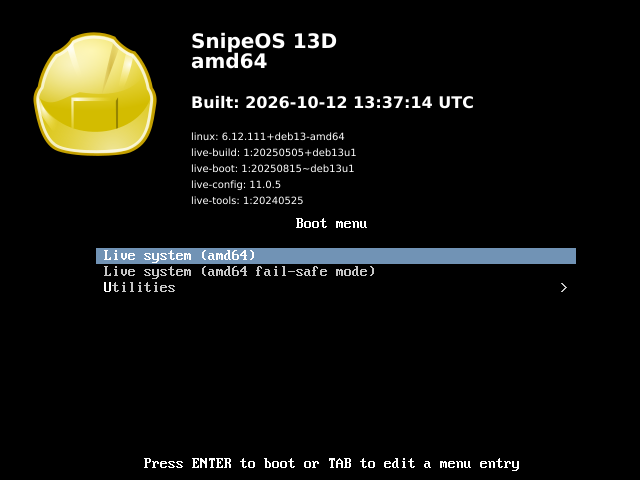
Boot the live system from USB, confirm graphics and wireless, open the apps you care about, then install when you are ready. Step-by-step written install with screenshots: Install guide.
Quick specs
- Product
- SnipeOS 13D
- Architecture
- amd64 / 64-Bit
- CPU
- 2+ cores, 1 GHz+
- RAM
- 512 MB
- Disk
- 13 GB