On Windows 10 or 11? This is the Windows 7 build; see all downloads →
Windows 7 SP1 · 32 / 64-bit

Snipe for
Windows 7

Chromium 140 on Windows 7 SP1, the platform Google abandoned after v109. This build uses the Win7 kernel compatibility patch set on top of ungoogled-chromium 140.0.7339.127; it is fully de-Googled, ships uBlock Origin and Ruffle in the core, and is tuned for legacy hardware.

Based on Chromium 140.0.7339.127 · V8 14.0.365.4 · © 2026 Snipe Group Limited
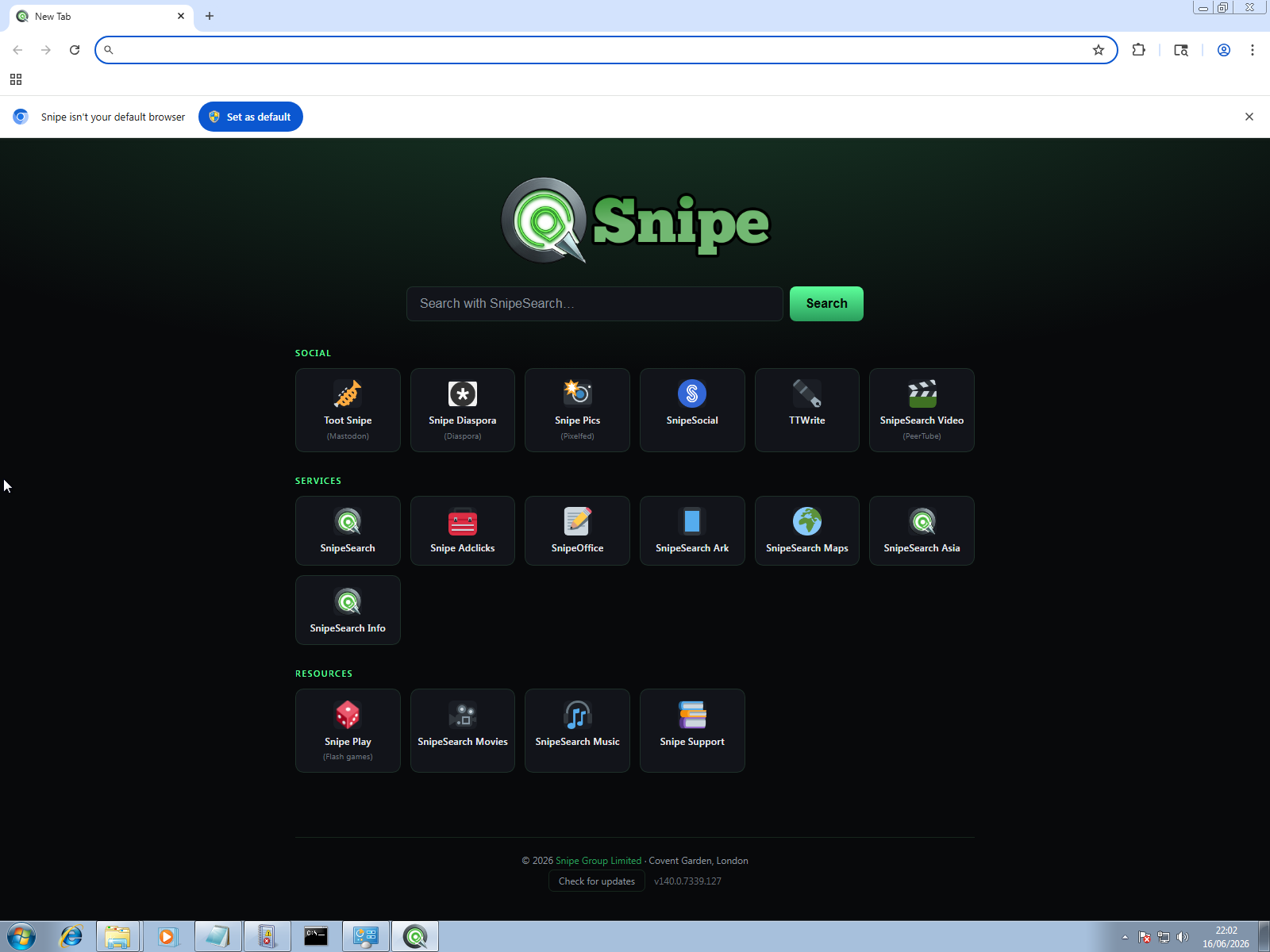
Snipe new tab on Windows 7 SP1

Windows 7 Compatibility Notice

This build targets Windows 7 SP1 (32-bit and 64-bit) using the Win7 kernel compatibility patch set on top of ungoogled-chromium 140.0.7339.127. Before installing, make sure these system updates are present: Service Pack 1, KB3080149, and KB4019990 (which provides d3dcompiler_47.dll). Without them the browser will not start.

SP1
required
32/64
bit
1 GB
RAM min
Zero
Google telemetry
What's in the build

Everything built in, nothing phoning home.

Every component that would ordinarily call Google infrastructure has been removed or replaced. The privacy tools ship inside the core binary itself, and the whole build is tuned for legacy Windows 7 hardware: machines with 1 GB of RAM and aging CPUs.

🛡

uBlock Origin Core

Always active, with a curated whitelist; there is no behavioural tracking, and no remote filter lists phoning home on every page load.

🎮

Ruffle / Flash

The Rust and WebAssembly emulator, built for the x86 target with audio included. SWF games and media run natively; there is no NPAPI plugin to install and nothing extra to download.

🔍

SnipeSearch Default

Address-bar searches go to SnipeSearch rather than Google. The new tab opens the full SnipeSearch ecosystem on every launch, one click away from everything in the network.

🔑

Local Password Manager

Credentials are stored encrypted on this device. There is no cloud sync unless you explicitly turn it on yourself; by default, nothing leaves your machine.

📖

Local Dictionaries

Spell-check and autocorrect run against bundled, on-disk dictionaries, entirely offline; nothing you type is ever sent to Google's enhanced spell-check service.

🔌

Server-Respecting HTTP/S

Uses the protocol you type and never forces an HTTPS upgrade on its own, so HTTP-only servers, intranet hosts and self-signed setups load exactly as addressed; if the server itself redirects to HTTPS, that redirect is honoured as normal.

🌙

Background Off

Closing the window stops every Snipe process instantly; there is no background updater, no tray icon, and no lingering RAM use once the browser is shut.

🚫

Zero AI

No AI features of any kind: no on-device models, no cloud assistants, no summarisation, and no generative tools baked in anywhere.

Download · v140.0.7339.127

Two ways to run Snipe.

Both downloads target Windows 7 SP1 (32-bit and 64-bit) with the Win7 kernel compatibility patch set. Choose the installer for a normal desktop install, or the portable ZIP to run Snipe from any folder or USB drive with no installation at all.

No install

Portable (.zip)

Extract the ZIP and run; nothing is written to Program Files and no installation is required. Ideal for USB drives, locked-down machines, or testing alongside an existing browser install without touching it.

File · SnipeBrowser-140.0.7339.127-win-x86-win7bc27-portable.zip
⬇ Download Portable ZIP

System requirements

Streaming DRM

Adding Widevine for Netflix & Disney+.

Snipe does not ship Widevine; it is a proprietary, closed-source blob, and bundling it would contradict the open nature of the project. Because Snipe is built on Chromium 140 it uses the same DRM path as Chrome, which means you can add Widevine yourself in four short steps.

01

Locate the files

From an existing Chrome or Edge 140 install, locate the WidevineCdm folder at C:\Program Files\Google\Chrome\Application\<version>\WidevineCdm\.

02

Copy into Snipe

Copy the whole folder into Snipe so the final path becomes C:\Program Files\SnipeBrowser\Application\140.0.7339.127\WidevineCdm\ (be sure to use the 32-bit win_x86 DLL).

03

Restart & verify

Close every Snipe process, reopen the browser, and check chrome://components for an entry named "Widevine Content Decryption Module".

04

Test playback

Open Netflix or Disney+ and play any title. If playback starts, DRM is installed correctly. Make sure the module you copied came from a Chromium 140.x build so the versions match.

Widevine is owned by Google and its use is subject to Google's licence terms. Snipe Group Limited does not distribute, endorse, or support Widevine; DRM configuration is entirely the user's responsibility. No Chrome or Edge on this machine? Extract WidevineCdm from any Chromium 140.x build instead.
Extensions install from SnipeSearch Ark (use the Snipe platform filter); legacy CRX files can be side-loaded with Developer mode at chrome://extensions. Note that the Chrome Web Store does not recognise Snipe, so it cannot be used.
On every new tab

The SnipeSearch ecosystem.

The new tab page groups the full network of privacy-first services into three sets: Social, Services and Resources. Everything is reachable in one click, and no Google account is required for any of it.

Social

Services

Resources

Every user matters

How Snipe compares.

FeatureSnipeChromeDDG
Zero Google Telemetry
uBlock Origin built into core
Ruffle / Flash restored
Local-only password manager
Server-respecting HTTP/HTTPS
No forced updates
Background processes off by default
No AI features
Runs on Windows 7 SP1
Support

Frequently asked questions.

How do I import my Google or Brave passwords?

Export them as a CSV from Google Password Manager or Brave, then import that file into Snipe’s local Password Manager (open chrome://password-manager/settings and use Import passwords). A full walkthrough with screenshots is here: Import Google / Brave passwords into Snipe. Delete the CSV once the import finishes; it is plain text.

Press

Reviews

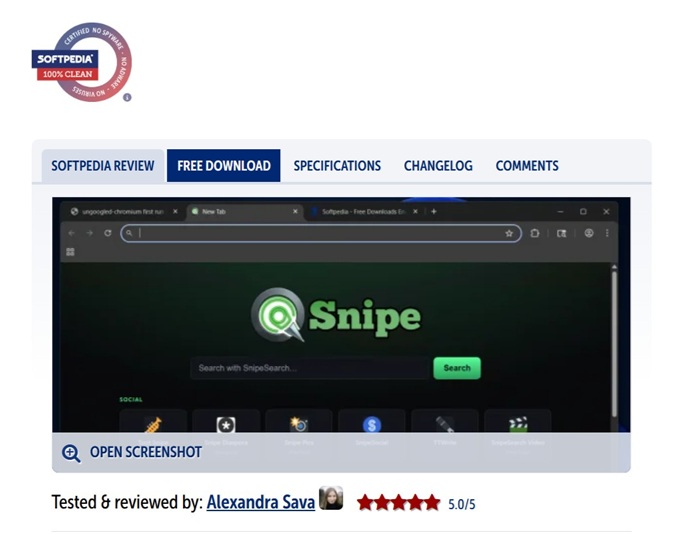
Snipe Browser is a Chromium-based web browser that removes Google’s built-in services and telemetry while preserving the speed and compatibility of Chromium. Softpedia highlights Zero Telemetry, built-in uBlock Origin, a local-only password manager, no built-in AI, and greater control over updates and background processes.

88 / 100
Reputation
Verified Safe

SnipeSearch scored 88/100 for trust and reputation on Gridinsoft. No malware or phishing detections, and 0 provider warnings at the time of the check.

View the Gridinsoft report →

79 / 100
Reputation

SnipeSearch.co.uk scored 79/100 for trust and reputation on Gridinsoft. No malware or phishing detections, a 16.9-year domain history, and 0 provider warnings at the time of the check.

View the Gridinsoft report →